
How to Use Binance Exchange: A Beginner’s Guide to Trading, Deposits & Withdrawals

Binance is one of the largest and most widely used cryptocurrency exchanges in the world, offering a vast range of digital assets, trading pairs, and advanced features. Whether you are a complete beginner or an experienced trader, understanding how to use the Binance exchange is essential for managing your crypto portfolio efficiently. This guide walks you through the core steps: account registration, depositing funds, executing trades, and withdrawing assets.
First, to get started with Binance, you need to create an account. Visit the official Binance website (binance.com) and click on the "Register" button. You will be asked to provide an email address or phone number, create a strong password, and agree to the terms of service. After registering, Binance will send a verification code to your email or phone. Enter this code to activate your account. For higher withdrawal limits and full access to all features, you must complete identity verification (KYC), which involves uploading a government-issued ID and a selfie for facial recognition. This process usually takes a few minutes to a few hours.
Once your account is verified, the next step is depositing funds into your Binance wallet. Log in and hover over "Wallet" in the top menu, then select "Fiat and Spot." Click on "Deposit" and choose the cryptocurrency you want to deposit (e.g., Bitcoin, Ethereum, or USDT). Binance will generate a unique deposit address for that asset. Copy this address and paste it into the withdrawal field of your external wallet or another exchange. If you prefer to deposit fiat currency (like USD or EUR), click on "Buy Crypto" and select your preferred payment method, such as bank transfer, debit card, or credit card. Binance also supports peer-to-peer (P2P) trading for local currencies.
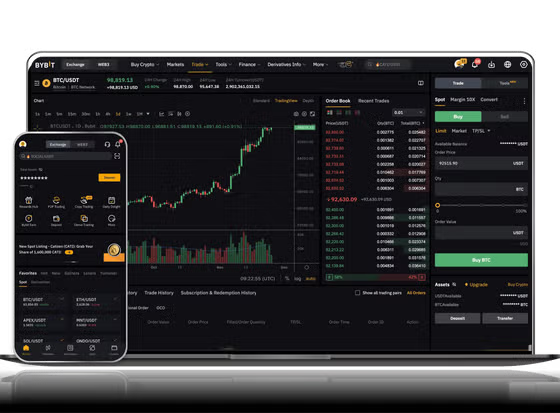
Now that your account has funds, you can start trading. Binance offers several trading interfaces: "Classic" (recommended for beginners) and "Advanced" (for experienced users). In the Classic view, you will see a "Buy & Sell" section. Select the trading pair you want, such as BTC/USDT. Enter the amount of USDT you want to spend or the amount of Bitcoin you want to buy. You can choose a market order (buy immediately at the current market price) or a limit order (set a specific price at which you want to buy). Click "Buy BTC" to execute the trade. The purchased cryptocurrency will appear in your Spot wallet instantly.
To withdraw cryptocurrency to an external wallet, return to the "Wallet" menu, select "Fiat and Spot," click "Withdraw," and choose the asset you want to send. Enter the recipient’s wallet address carefully—double-check every character because crypto transactions are irreversible. Specify the withdrawal amount and confirm the transaction. Binance will send a confirmation to your email and may require a 2FA (two-factor authentication) code if enabled. Withdrawal fees vary by cryptocurrency but are displayed clearly before you confirm.
Finally, it is important to secure your account. Enable 2FA using Google Authenticator or a hardware security key. Do not share your login credentials or private keys with anyone. Be cautious of phishing websites and always ensure you are on the official Binance domain. Binance also provides a mobile app for iOS and Android, allowing you to trade and manage your funds on the go.
By following these steps—registration, deposit, trade, and withdrawal—you can confidently navigate Binance and take advantage of its powerful trading tools. Start with small amounts to practice, and as you become more comfortable, explore advanced features like futures, staking, and savings on the platform.


发表评论