
Binance: Is It a Wallet or an Exchange? A Complete Guide to Using Both and Getting Started

When you first enter the world of cryptocurrency, the name "Binance" appears everywhere. But a common question beginners often ask is: **Is Binance a wallet or an exchange?** The short and accurate answer is that Binance is primarily a **cryptocurrency exchange**. However, it also offers a built-in wallet feature. Understanding this distinction is crucial for safely storing and trading your digital assets. This guide will explain what Binance is, how its wallet function differs from the exchange, and the exact steps to operate it.
First, let's clarify the core definition. A **cryptocurrency exchange** is a platform where you buy, sell, and trade coins like Bitcoin, Ethereum, or USDT. Binance is the world's largest exchange by trading volume. When you sign up, you create a **trading account**, which is essentially a custodial wallet. This means Binance holds the private keys for you. While this is convenient for trading, it is not recommended for long-term storage of large amounts of crypto due to security risks (like exchange hacks).
In contrast, a **private wallet** (like MetaMask or a hardware wallet) gives you full control of your private keys. Binance also provides its own official "Web3 Wallet" (formerly called the Binance DeFi Wallet). This is a separate, self-custodial wallet that is NOT directly connected to your exchange trading balance. You must transfer funds from your Binance exchange account to this Web3 wallet if you want to use decentralized apps (dApps) or hold tokens independently.
Now, let's break down **how to operate** both parts of Binance effectively.
Part 1: Operating the Binance Exchange (Trading Account)
1. **Create an Account:** Go to binance.com. Use your email or phone number. Complete the mandatory KYC (Know Your Customer) verification by uploading your ID. Without this, you cannot trade or deposit fiat currency.
2. **Deposit Funds:** Click on "Wallet" then "Deposit". You can deposit cryptocurrency (e.g., send Bitcoin from another wallet) or use a bank card to buy crypto directly.
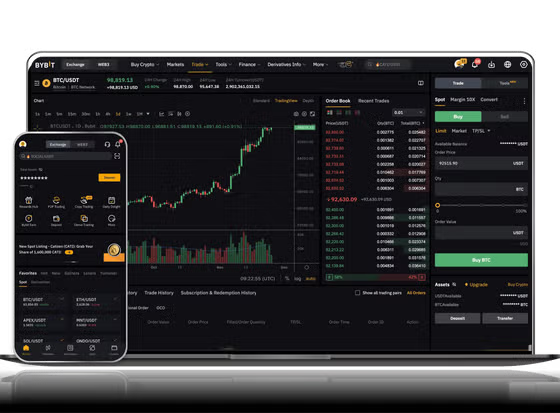
3. **Trading:** Go to "Trade" and choose "Classic" or "Advanced" mode. Find a trading pair (e.g., BTC/USDT). Enter the amount you want to buy or sell and confirm the order. Your assets will appear in your "Spot Wallet" immediately.
4. **Security:** Enable Two-Factor Authentication (2FA) using Google Authenticator. This is the single most important step to protect your exchange account.
Part 2: Operating the Binance Web3 Wallet (Self-Custodial)
1. **Access the Wallet:** Open the Binance App. Look for the "Web3" icon on the bottom menu. If you are on the website, find the "Web3 Wallet" option under the "Wallet" menu.
2. **Create or Import:** Click "Create a Wallet". You will be given a **seed phrase** (12 or 24 words). This is the ONLY way to recover your wallet. Write it down on paper and store it offline. Never screenshot it or share it.
3. **Transfer from Exchange:** Go back to your "Spot Wallet" in the Binance App. Click "Withdraw". Select the token (e.g., BNB or ETH). Paste your Web3 wallet address (which you copy from the Web3 Wallet app). Confirm the withdrawal. The fee is usually very low.
4. **Use dApps:** Once funds are in your Web3 wallet, you can connect to decentralized exchanges (like PancakeSwap) directly from the wallet's browser to swap tokens.
Key Warning for Beginners: Do not confuse your "Spot Wallet" (exchange account) with your "Web3 Wallet". If you want to send crypto from Binance to another exchange like Bybit or Coinbase, you must withdraw from the **Spot Wallet**. If you want to send to your own private wallet, use the **Web3 Wallet** or any external wallet app. Also, always double-check the network when withdrawing (e.g., do not send BNB on the Ethereum network if the receiver uses BSC).
In summary, Binance is an **exchange first**, but it also provides a built-in **wallet** for decentralized use. For trading, use the Exchange spot account. For holding and using DeFi, use the Web3 Wallet. Never keep large amounts in the exchange account for years. Use the Web3 wallet or a hardware wallet for long-term safety. Start with small test transactions to master the difference between withdrawing from the exchange and using a self-custodial wallet. Once you understand this, you can confidently use Binance for all major crypto operations.


发表评论