
How to Operate Binance Cryptocurrency Exchange: A Step-by-Step Guide for Beginners

Binance, one of the world’s largest cryptocurrency exchanges, offers a comprehensive platform for trading digital assets. Whether you are a newcomer or an experienced trader, understanding how to navigate Binance is essential for secure and efficient transactions. This guide covers the fundamental operations of the Binance exchange, including account setup, deposits, trading, and withdrawals.
First, to use Binance, you must create an account. Visit the official Binance website and click “Register.” You can sign up using your email address or phone number. After entering your credentials, complete the verification code sent to your email or phone. For full access to higher withdrawal limits and enhanced security, you must complete Identity Verification (KYC) by uploading a government-issued ID and a selfie. This process typically takes a few minutes to a few hours.
Once your account is set up, the next step is securing it. Enable two-factor authentication (2FA) using Google Authenticator or SMS. This adds a critical layer of security, preventing unauthorized access even if your password is compromised. Binance also recommends setting up anti-phishing codes and whitelisting withdrawal addresses for added protection.
Depositing funds into your Binance account is straightforward. Log in and navigate to “Wallet” then “Fiat and Spot.” Click “Deposit,” select your preferred cryptocurrency (e.g., Bitcoin, Ethereum, or USDT), and copy the deposit address. Ensure you select the correct network (e.g., ERC-20, BEP-20) to avoid losing funds. For fiat currency deposits, you can use bank transfers, credit/debit cards, or third-party payment services available in your region.
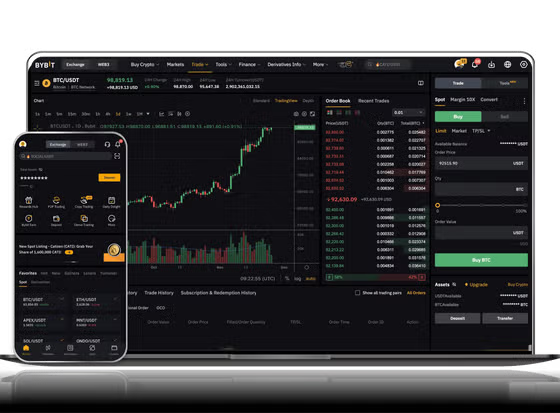
Trading on Binance begins at the main interface. The “Trade” menu offers two primary options: “Classic” and “Advanced.” For beginners, the “Classic” view is recommended. Here, you will see a price chart, order book, and trading pairs. To execute a trade, select the trading pair (e.g., BTC/USDT). Decide whether to place a market order (buy/sell instantly at the current price) or a limit order (set a specific price at which you want to buy or sell). Enter the amount and confirm the transaction. It is advisable to start with small amounts to familiarize yourself with the order types and market behavior.
Binance also provides advanced trading features such as margin trading, futures, and staking. While these offer higher potential returns, they also carry higher risk and are not recommended for inexperienced users until they fully understand the mechanics. For spot trading, which involves buying and selling the actual asset, the process is simpler and safer for most users.
When you want to withdraw funds, go to “Wallet” and select “Withdraw.” Choose the cryptocurrency you wish to withdraw, enter the recipient’s wallet address, and select the corresponding network. Be extremely careful: sending assets to the wrong network can result in permanent loss. Confirm the transaction through email verification and 2FA. Network fees and withdrawal limits depend on the specific cryptocurrency and your account verification status.
Beyond basic operations, Binance offers educational resources through “Binance Academy,” which provides free courses on blockchain and trading. Using the mobile app also allows you to trade anywhere, but ensure your device’s security is up to date. Always double-check URLs to avoid phishing sites, and never share your private keys or API secrets with anyone.
In summary, operating Binance involves account registration, security setup, depositing funds, trading via spot or simple orders, and managing withdrawals safely. By following these steps carefully, you can effectively use Binance to trade digital currencies while minimizing common risks. Regularly review Binance’s updates and security announcements to stay informed about platform changes and best practices.


发表评论