
How to Use Binance Exchange: A Complete Beginner’s Guide to Trading, Deposits, and Withdrawals

Binance is one of the largest and most popular cryptocurrency exchanges in the world. If you are new to crypto trading, understanding how to use Binance correctly is essential. This guide walks you through the entire process, from creating an account to making your first trade and managing withdrawals.
Step 1: Create and Verify Your Binance Account
Visit the official Binance website or download the Binance app. Click “Register” and enter your email address or phone number. Create a strong password. After registration, you will receive a verification code via email or SMS. Enter the code to activate your account. For full access to deposits, withdrawals, and higher trading limits, complete the identity verification (KYC) process by uploading a valid ID and a selfie. This usually takes a few minutes to a few hours.
Step 2: Secure Your Account
Security is critical on Binance. Go to the “Security” settings and enable two-factor authentication (2FA) using Google Authenticator or SMS. Also set up a withdrawal whitelist to restrict withdrawal addresses. Never share your login details or 2FA codes with anyone.
Step 3: Deposit Funds
To start trading, you need to deposit cryptocurrency or fiat money. Go to “Wallet” > “Deposit”. Choose the currency you want to deposit (e.g., Bitcoin, Ethereum, USDT, or USD). For crypto deposits, select the correct network (e.g., ERC20, BEP20) to avoid losing funds. Copy the deposit address or scan the QR code from your external wallet or exchange. For fiat deposits, use bank transfer, credit card, or third-party payment partners available in your region.
Step 4: Understand the Trading Interface
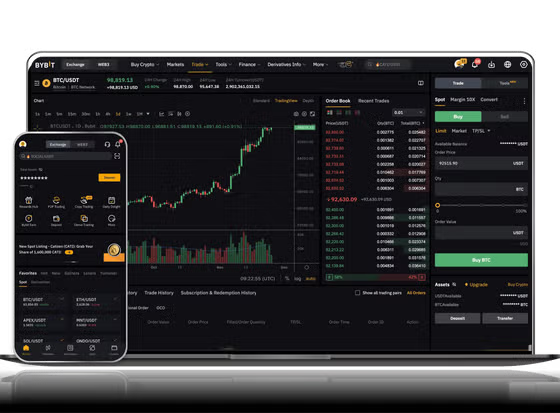
The main trading page has several sections: a price chart (usually powered by TradingView), the order book showing buy and sell orders, and the trading pair selection (e.g., BTC/USDT). You can choose between different order types: Market order (buys immediately at current price), Limit order (buys when price reaches your set level), and Stop-Limit order (triggers a limit order when price hits a stop price). For beginners, a Market order is the simplest way to buy crypto.
Step 5: Buy Cryptocurrency
Go to the “Buy Crypto” page or directly to the trading pair you want. Enter the amount you want to spend (in quote currency like USDT) or the amount of crypto you want to buy. Review the order details, including fees (usually 0.1% per trade for spot trading). Click “Buy” to execute the trade. The purchased cryptocurrency will appear in your spot wallet.
Step 6: Withdraw Funds
When you want to move your crypto to a personal wallet or another exchange, go to “Wallet” > “Withdraw”. Select the cryptocurrency and enter the withdrawal address. Double-check that the network matches (e.g., sending BEP20 tokens to an ERC20 address can result in permanent loss). Enter the amount and confirm the withdrawal via email and 2FA. Withdrawal fees vary by coin.
Step 7: Explore Advanced Features
Once comfortable, you can explore Binance’s other services: Binance Earn (staking, savings, and liquidity farming), Binance Futures (leveraged trading with higher risk), and Binance P2P (peer-to-peer trading without fees). Always understand the risks before using leverage or lending products.
Important Tips for Beginners
- Always start with a small amount to test the process.
- Use the Binance mobile app for convenient trading on the go.
- Enable price alerts to stay informed without constantly watching charts.
- Never invest more than you can afford to lose.
- Avoid copying trades from unknown sources.
By following these steps, you can safely and efficiently use Binance to buy, sell, and trade cryptocurrencies. While Binance offers powerful tools, remember that crypto markets are volatile. Take your time to learn the platform’s features and always prioritize security.


发表评论